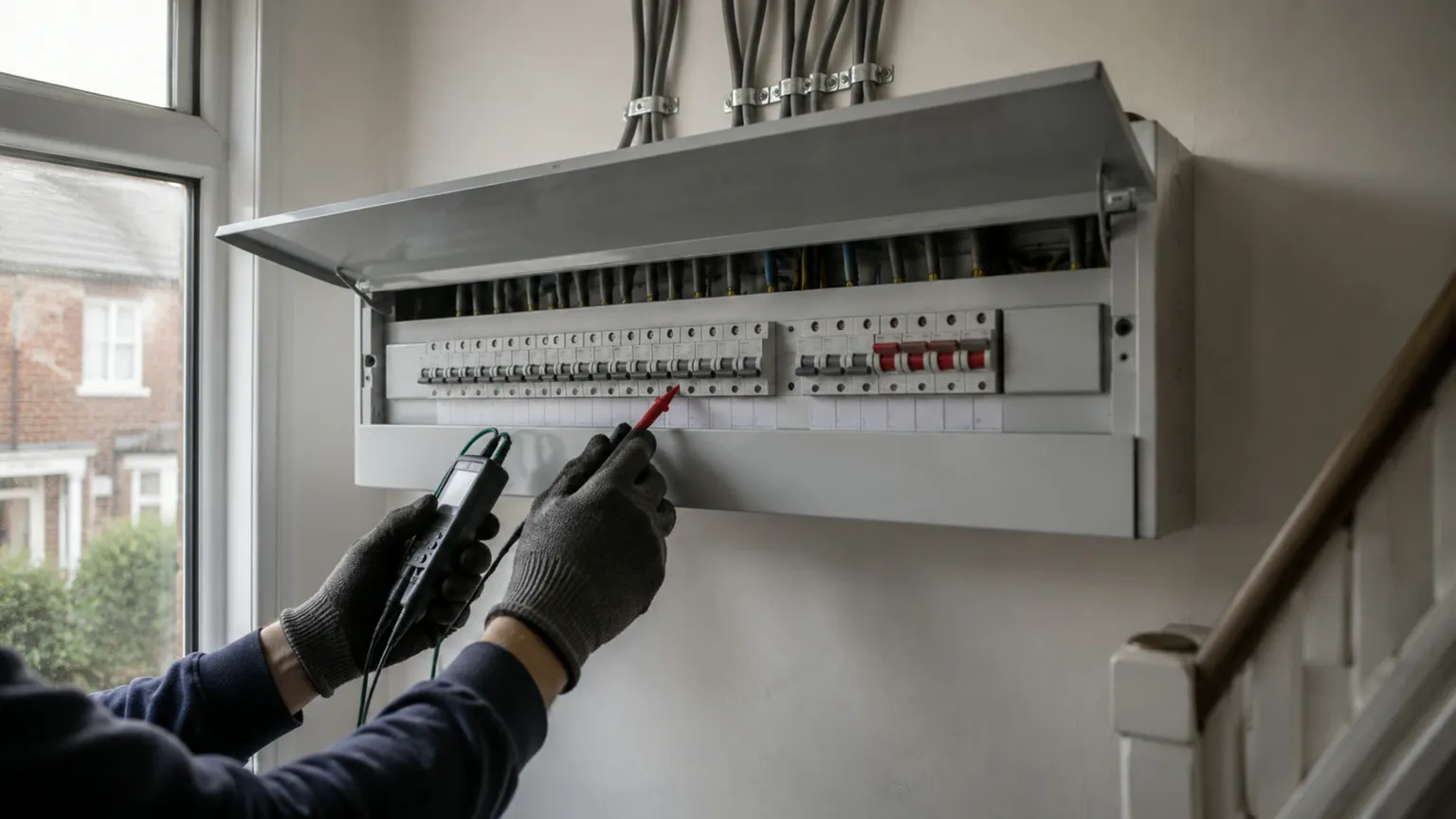
An electrician website wins domestic work when it answers one worry fast: is this person allowed to do the job and sign it off? Put your scheme registration in plain text, give each job you want more of its own page, and keep domestic and commercial work on separate routes. The rest of this checklist covers what goes on those pages and why.
Why electricians get checked harder than most trades
A homeowner hiring a painter worries about mess. A homeowner hiring an electrician worries about fire and about a certificate they might need when they sell the house. Some electrical work in homes in England is notifiable under Part P of the Building Regulations, and Approved Document P sets out when notification is required.
Most of your customers will not know those rules. They do know that the work needs "the right paperwork", and they look for signs you can provide it. Your website is where they look first.
1. Your registration in plain text, near the top
If you belong to a competent person scheme, that is the strongest line on your site. GOV.UK explains that competent person schemes let registered installers self-certify certain building work, and that joining an electrical scheme puts you on the electrical competent person register. That is the reason a homeowner should pick you over a cheaper cash quote, so say it clearly.
Write the scheme name, your business name and your registration number as text in the first screen and again in the footer. Link the number to the scheme's public register. A scheme logo on its own is a picture. A number that links to a register is proof, and a cautious homeowner can check it in thirty seconds while still on your site.
Only show what is current and in your business's name. If you are partway through joining a scheme, wait until you are on the register before you mention it.
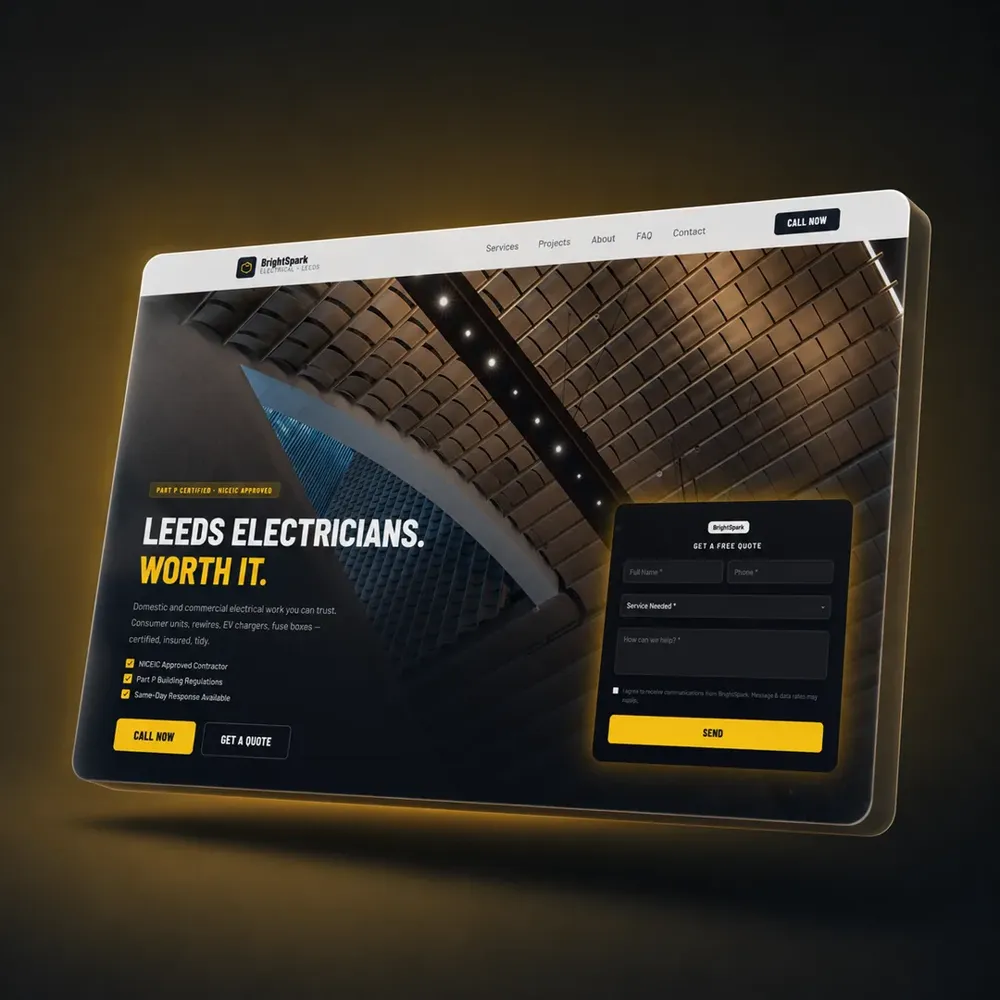
2. Your phone number, your towns and your hours
Put the number in the top corner of every page as a tap-to-call button. Put your main town in the headline: "Electrician in Doncaster and Rotherham" says more than "Quality electrical services". Under it, say when you answer the phone. "Calls answered 7am to 7pm, Monday to Saturday" is a promise a homeowner can plan around.
If you cover a wide area, short pages for your main towns help you appear in searches for places you work but are not based. Our guide to local SEO for trade businesses explains how town pages and your Google profile work together.
3. A page for each job you want more of
A homeowner searching for a consumer unit replacement wants a page about consumer unit replacement. A single "Services" page listing twenty jobs in bullet points gives Google nothing to rank and gives the homeowner nothing to read. Give the jobs that earn you the most their own pages. For most domestic electricians that list looks like this:
- Consumer unit replacement
- Full and partial rewires
- EV charger installation
- EICRs for homeowners and landlords
- Lighting, sockets and outdoor power
- Fault finding
Each page should answer the questions you get asked on the phone. The next three sections show what that means for the pages that bring in the most domestic enquiries.
Consumer unit replacement
Say why people replace them: an old fuse box with no RCD protection, a failed EICR, a rewire, or an extension adding new circuits. Say how long the power is off on the day, which is the first thing most homeowners ask. Say that the job comes with the certificate and notification your scheme provides. Add two or three photos of your own finished boards with the circuits labelled.
EV charger installation
EV charger buyers have usually done their homework on the car and know little about the install. Cover what you check first: the supply, the consumer unit, where the cable runs and where the charger sits on the wall. Say which chargers you fit. If a survey or a photo of their fuse box helps you quote, ask for it in the form.
EICRs for homeowners and landlords
Landlords are a steady source of repeat work. GOV.UK's guide for landlords says privately rented homes in England must have their electrics checked at least every five years by a properly qualified person. A landlord with six flats needs that inspection on a cycle, and they search for it by name.
Homeowners need more convincing. A UK study published by the IET in April 2026 found that 79% of adults feel confident about the electrical safety of their homes, and that 20.1% did not know electrical checks were required at all, according to the IET's press release. Your EICR page can do that explaining for you. Say what an EICR is, what you test, how long it takes and what happens if something fails. Write it in the words a homeowner uses, such as "a safety check on your wiring", next to the formal name.
4. Domestic and commercial on separate routes
If you do both, a homeowner in Harrogate and a facilities manager for a row of shops should not land on the same page. One wants a tidy rewire with the carpets protected. The other wants emergency lighting tests, out-of-hours working and the right insurance documents. Mixing them on one page leaves each reader wading through the other's concerns.
Give the homepage two clear routes, "For your home" and "For your business", each leading to its own service pages. Use photographs that match: a finished kitchen with new downlights for domestic, a distribution board in a plant room for commercial.

The Lumina Designed case study shows the same split working for a design and build company. The trade is different. The principle is identical.
5. Photos of your own boards and installs
Electrical work is hard to photograph because the best of it is hidden in the walls. Photograph what the customer does see: the labelled consumer unit, the EV charger on the wall with a neat cable run, the finished lighting at dusk. Write one line under each photo with the job and the town, such as "18th Edition consumer unit, Wakefield, fitted in a day".
Avoid stock photos of glowing light bulbs and sparks. A homeowner comparing three electricians notices when one shows a real board in a real hallway.
6. Reviews that point to Google
Show your Google rating and three or four full reviews with the customer's first name and town, and link to your Google profile for the rest. BrightLocal's Local Consumer Review Survey 2026, a survey of 1,002 US adults, found that 97% of consumers read reviews for local businesses, and that 54% check the business's website after reading positive reviews. The survey is American, so treat it as a guide to UK behaviour, not proof of it.
The second figure is the useful one. A good review sends people to your site to confirm what they read. Keep your Google Business Profile and your website telling the same story, with the same phone number, hours and area.
7. A short quote form that asks for a photo
Many domestic enquiries come in the evening, when the homeowner has time to look at the fuse box. Give them a form with name, phone, postcode and a few words about the job, plus an optional photo upload. A photo of an old board saves you a site visit to quote a straightforward swap.
After they press send, show a message saying when you will reply. Our plumber website checklist covers forms and the mobile call bar in more detail, and the same advice applies to electricians.
The checklist
- Scheme name and registration number in text, linked to the register
- Tap-to-call number in the top corner of every page
- Your main town in the headline and your hours under it
- A page each for consumer units, rewires, EV chargers and EICRs
- An EICR page written for landlords and for homeowners
- Separate routes for domestic and commercial work
- Photos of your own boards and installs, with the town under each
- Real reviews linked to your Google profile
- A short quote form with a photo upload and a thank-you message
Open your site on your phone and work through the list. Most electrician sites already show a scheme logo somewhere. Far fewer show the number, link it to the register, and give each job its own page.
How SiteFlash builds this for electricians
We build websites for electricians with this structure from the first day: registration in the first screen, a page for each job you want more of, and separate routes for domestic and commercial work if you do both. You see a working concept of your own site before you pay anything. Plans start at 149 pounds a month with no upfront cost and no contract, and hosting, the domain and updates are included.