The way to get more Google reviews as a tradesman is to ask every customer on the day the job finishes, and send them a direct link they can use in under a minute. Most customers who are asked will leave one. This guide covers when to ask, the exact wording to send, what to do with a bad review, and the UK rules that make some common tricks illegal.
Why the count and the dates both matter
A homeowner choosing between three plumbers in the map results looks at two things before anything else: your star rating and how many reviews sit behind it. They then scroll to see how old the latest one is.
BrightLocal's Local Consumer Review Survey 2026, a survey of 1,002 US adults, found that 47% of consumers will not use a business with fewer than 20 reviews, and 74% look for reviews written in the last three months. The survey is American, and we have seen nothing to suggest UK homeowners behave differently. A profile with 60 reviews and nothing since last winter can look like a firm that has stopped trading.
Reviews also feed how Google ranks you in the map results. We cover that side in our guide to local SEO for tradesmen. The short version: a steady trickle of new reviews does more than a big push once a year.
Ask on the day you finish
The best moment is when the customer is looking at the finished work. The new boiler is firing, the patio is swept, the bathroom is grouted and clean. They are pleased, and the job is fresh in their mind.
Ask in person first, in your own words. Something like: "If you're happy with it, a Google review would help us a lot. I'll text you the link now so it only takes a minute." Then send the link before you drive off. The same BrightLocal survey found that 78% of consumers were asked to write a review in the last 12 months, and 65% wrote one after being asked. Asking is most of the work.
For a long job such as an extension, ask at handover rather than at the first fix. For a commercial client, ask the person you dealt with on site, not the accounts department.
Make the link one tap
Every step you add loses reviews. "Search for us on Google and find the reviews bit" loses most people at the first step. Send a link that opens the review box directly.
Google's help page on how to create a review link or QR code gives the steps. On a computer, open your Business Profile, choose Read reviews, then Get more reviews, and copy the link. The QR code can only be made on a computer, not on a phone.
Do this once and keep the link where you can reach it:
- Saved as a quick reply in WhatsApp or as a note on your phone
- At the bottom of every invoice and job completion email
- As a QR code on the back of your business card
- On a small card you leave with the paperwork for the job
What to send
Keep the message short and name the job. A message that mentions the job reads like it came from you, not from a machine.
"Thanks again for having us in this week, Mrs Patel. If you're happy with the new consumer unit, a quick Google review would help a small firm like ours. Here's the link:" followed by your review link on its own line.
If they have not left one after a few days, send one polite reminder. Google's own tips for getting more reviews suggest reminding customers. After one reminder, stop. Chasing three times turns a happy customer into an irritated one.
The rules you must not break
This is where some trade firms get into trouble without meaning to. Two sets of rules apply: Google's own, and UK consumer law.
Google's rules
Google's policy on fake engagement bans offering payment, discounts or free goods or services in exchange for a review. It also bans discouraging negative reviews and asking only happy customers. Reviews from people with a conflict of interest count as manipulation too, and that includes employees and family. Google removes reviews that break these rules and can restrict the accounts involved.
That rules out "ten pounds off your next service for a five star review". It also rules out getting your brother-in-law and your apprentice to post reviews to get the profile started.
UK law
The Competition and Markets Authority published its guidance on fake reviews in April 2025, under the Digital Markets, Competition and Consumers Act 2024. It bans fake reviews and reviews that hide the fact they were incentivised. It applies to your business, not only to the review sites.
The full CMA guidance goes further on how you treat negative reviews. It says traders should not discourage them through threats of legal action, or by making a refund or a fix conditional on the customer not leaving a bad review. It also names "encouraging just those who are satisfied to leave reviews" as a form of cherry picking.
In practice that means one simple habit. Ask every customer, including the one where the job had a hiccup.
When a bad review lands
Sooner or later you will get one. A customer who waited a week for a part, or one who thought the quote included skip hire. Do not reply the same evening while you are angry.
Read it the next morning and reply in three or four sentences:
- Thank them for the feedback, using their first name.
- Say what happened in plain facts, without blaming them.
- Say what you have done or will do to put it right.
- Give a phone number or email so they can contact you directly.
The reply is written for the next customer as much as for this one. BrightLocal's 2026 review survey found that 89% of consumers expect business owners to respond to reviews. A calm, specific reply next to a one star review often reassures a reader more than another five star review would.
If a review is fake, for example from someone you have never worked for, report it through your profile. Google can remove a review that breaks its policy. It will not remove a genuine review because you disagree with it.
Reply to the good reviews too. One line that mentions the job ("Glad the new radiators are keeping the back bedroom warm") shows you read them.
Put the reviews to work on your website
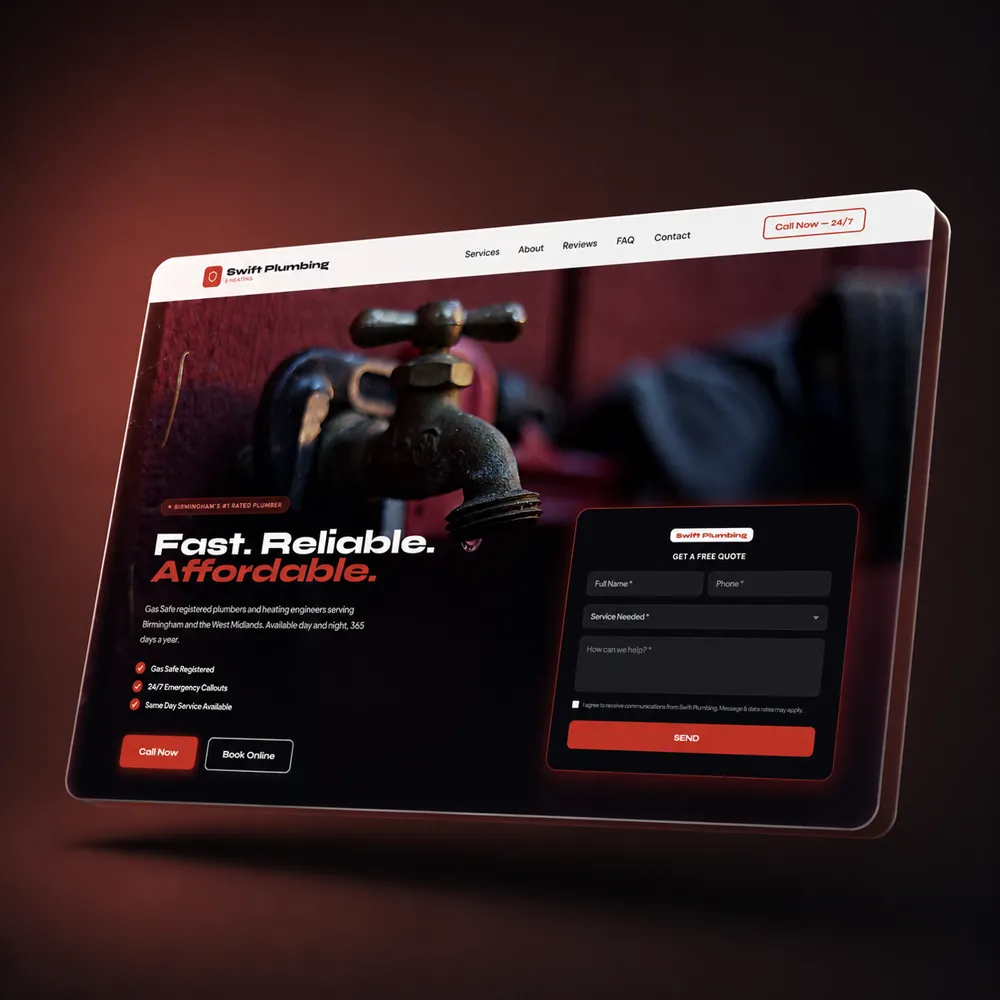
Reviews on Google help people find you. Reviews on your own website help the visitor who has already found you decide to ring. Show your rating near the top of the home page, and add a few full reviews with the customer's first name and town.
Match reviews to pages where you can. A review that mentions a loft conversion belongs on your loft conversion page. Link to your Google profile so people can check the reviews are real. Our earlier guide to setting up a Google Business Profile covers linking the profile and the website in both directions.
Only show reviews you can point to. If a review on your site cannot be found anywhere else, a careful homeowner starts doubting the rest of the page. The CMA guidance also warns against picking out only the glowing reviews when they do not reflect what customers say overall.
A routine that takes five minutes a week
- Every finished job: ask in person, then send the link before you leave.
- Three days later: one reminder to anyone who has not left one.
- Every Friday: reply to each new review, good or bad.
- Every month: add your best new review to the matching page on your website.
If you finish four jobs a week and half of those customers leave a review, you pass twenty reviews in under three months. Keep the routine going and your newest review is never more than a week or two old.
How we help
Our Google Business Profile service claims and verifies your profile, links it to your website, and sets up a simple, repeatable way to ask customers for reviews at the right moment. You can see how we present reviews and projects on live client sites in our work. Plans start at £149 a month with no upfront cost and no contract, and you see a working concept of your site before you pay.