Local SEO for tradesmen comes down to two free places on Google: the map with three businesses, and the normal list of websites below it. Your Google Business Profile wins the map. Your website wins the normal results. This plan covers both, and works for any trade, from a plumber in Swindon to a builder in Bradford.
The map and the normal results are two different races
Search "electrician Leicester" on a phone. You usually see a few sponsored results, then the map with three businesses, then a list of websites. The map ranks businesses using their Google Business Profile. The list ranks individual pages on websites. A firm can be top of one and missing from the other.
Both get used every day. Ofcom's Online Nation 2025 report found that 82% of UK online adults used Google Search in May 2025, and that Google Maps reached 78% in 2025, up from 73% in 2024. A homeowner with a tripping fuse board might start in either place, so you want to be in both.
The map is limited by distance. The normal results are not tied to it in the same way. That is why a builder based in Shipley can win searches in Ilkley through the website long before the profile shows up there.
What Google says decides the map
Google explains local ranking in its help article Tips to improve your local ranking on Google. It names relevance, distance and prominence. Relevance is how well your profile matches the search. Distance is how far you are from the person searching. Prominence is how well known you are, and Google says that includes how many websites link to you and how many reviews you have.
The same page says there is no way to pay for a better local ranking. That is the whole list. Ignore anyone selling a secret factor beyond it.
You cannot change distance. You can work on relevance with an accurate profile and the right category, and on prominence with reviews and links. Our guide to setting up a Google Business Profile walks through the profile itself, so this plan spends its time on the website and the wider web.
Start with one page per service
The normal results rank pages, so each kind of job needs a page of its own. A single "Services" page listing ten things has to compete for every search at once. A page called "Boiler installation" with your own photos, the brands you fit and what affects the price gives Google one clear thing to match.
Write each page for the person searching. Say what the job involves, how long it takes and what you need from them on the day. Answer the question you get asked most on the phone. Put the town you are based in near the top in plain words.
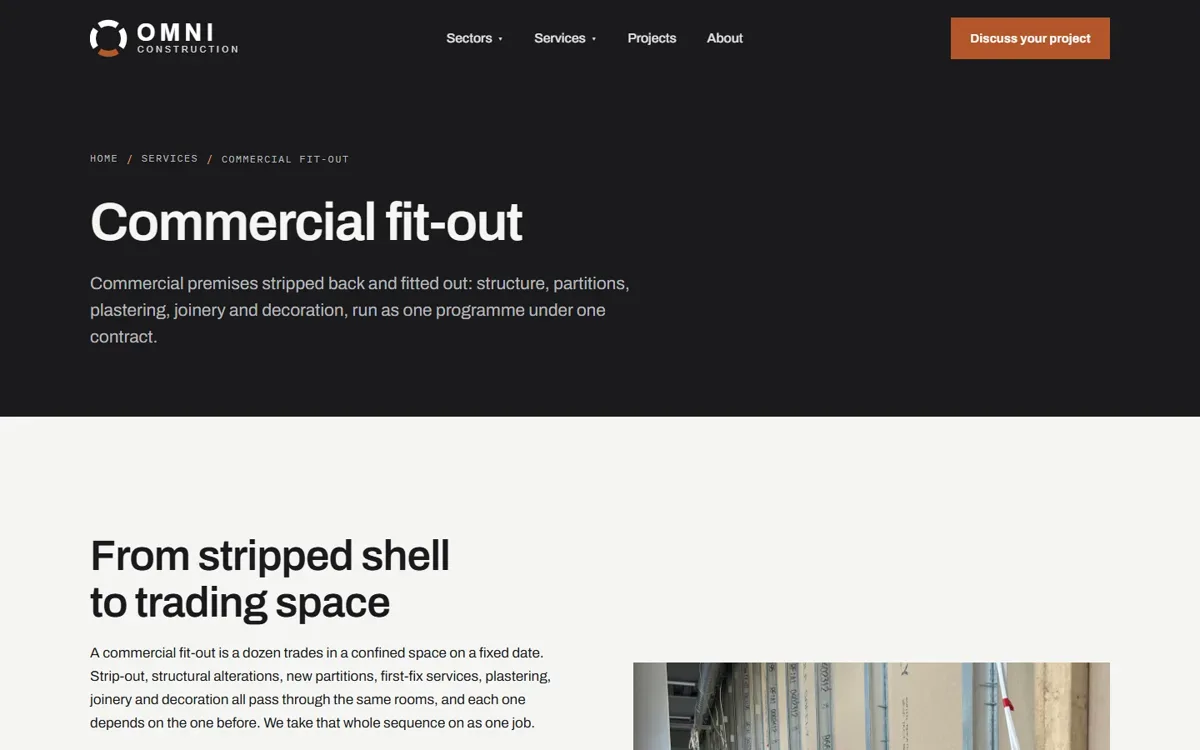
The site we built for Omni Construction Group works this way. Commercial fit-out, extensions and every other service has its own page with its own headline and description, shown in the image at the top of this post.
Town pages that earn their place
Once your service pages exist, add pages for the towns you want more work from. This is where most trade sites go wrong. They copy one page twenty times and swap the town name. Google's spam policies call this doorway abuse and list pages targeted at specific regions or cities that funnel users to one page as an example.
A town page done properly has things on it that could only be about that town:
- A job you finished there, with a photo and one line about the house or premises
- The kind of properties you meet there, such as stone terraces or new-build estates
- How quickly you can get out to that town from your base
- Any local detail that changes the job, such as conservation areas or parking
- A link to each service page you most often do there
If you cannot fill a page like that for a town, do not build it yet. Start with three or four towns where you already have jobs and photos. Add the next one when the work comes in. Our post on how roofers get more enquiries from Google shows the same idea worked through for one trade.

Keep your name, address and phone the same everywhere
Your business name, address and phone number appear in more places than you think. Your website footer, your profile, your van, Facebook, every directory you ever signed up to. Over the years they drift. An old mobile number sits on one listing. A former trading name sits on another.
Fix them so they match. Use one version of the business name, written the same way each time. Use one main phone number. If you work from home and hide your address on your profile, leave it off directories too and list the towns you cover instead.
Google does not publish a rule about this. The reason to do it is simpler: a customer who rings a dead number from an old listing rings the next firm, and conflicting details make it harder for anyone, Google included, to be sure which business is which.
Local citations and links
A citation is any listing of your business on another website. Trade directories, review sites, your trade body's member search and your local business association all count. Many of those listings link to your website, and Google names links from other websites as part of prominence.
Claim the free listings on the main UK directories and fill each one in fully with matching details. Then look for links that only a local firm could get. A sponsorship of the Sunday league team, a supplier who lists approved installers, or a write-up of a community project in the local paper all point to you from places that make sense for a local trade.
Paid directories and lead sites are a separate decision. Some trades get good work from them. Judge them by the jobs they bring, not by their effect on Google. Our comparison of trade directories and your own website sets out when each makes sense.
Reviews feed both races
Reviews count towards prominence in the map, and Google's help page says more reviews and positive ratings can help your local ranking. They also do work on the website side. BrightLocal's Local Consumer Review Survey 2026 found that 54% of consumers go on to check the business's website after reading positive reviews. The survey covers 1,002 US adults, not UK homeowners, but the pattern is the one you hear when a customer says "I had a look at your site first".
Ask on the day the job finishes. Text the review link that evening. Reply to every review, and show your rating and a few full reviews on your website so the visitor who arrives from the map sees the same picture.
Link your own pages together
Google's SEO Starter Guide says it finds pages mainly through links from pages it has already crawled, and that the words in a link tell users and Google what the linked page is about. A town page nobody links to is hard for Google to find and easy for a visitor to miss.
Link each service page to the town pages where you do that work, and each town page back to its services. Link from finished project pages to the service they show. Use plain words in the link, such as "loft conversions in Harrogate", rather than "click here".
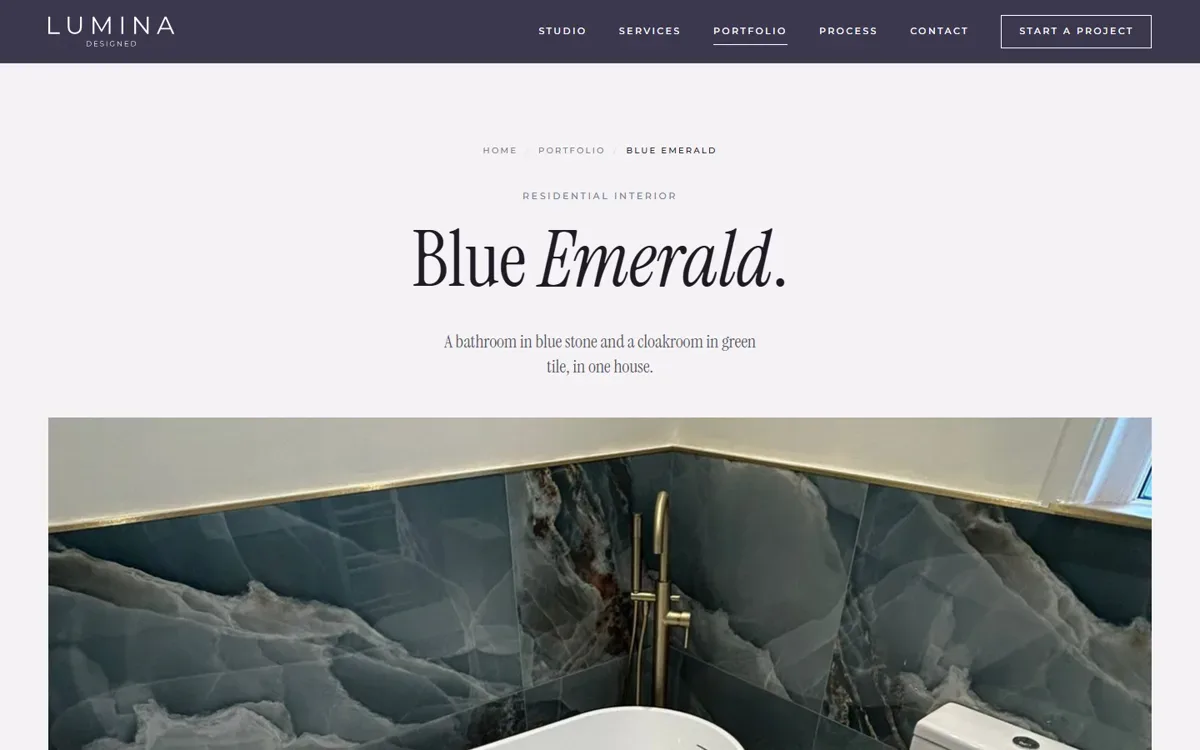
On Lumina Designed, each finished project has its own page, and the breadcrumb at the top links it back to the portfolio. That gives every job a page Google can find and a path for the visitor to see more work.
Measure progress with Search Console
Google Search Console is free, and it shows how your website does in the normal results. Add your site, then open the Performance report. It shows clicks, impressions, click-through rate and average position, grouped by the searches people used or by your pages.
Once a month, check three things:
- Group by query. Look for searches with a town name in them. Rising impressions for "kitchen fitter Wakefield" mean Google is starting to show you there.
- Group by page. See which service and town pages get impressions and which get none. A page with none needs better content or more links to it.
- Look for searches with plenty of impressions but few clicks. Rewrite that page's title so it says plainly what you do and where.
Impressions move first. Clicks follow, then calls. Note the date each time you add a page, so you can see what changed afterwards. Search Console does not cover the map, so check your Business Profile's own performance figures alongside it.
A routine that fits round the work
Local SEO rewards small, steady effort. Each week, add photos from a finished job to your profile and ask that customer for a review. Each month, read Search Console and add or improve one service or town page. Each quarter, search for your business name and fix any listing that shows an old number or name.
How SiteFlash handles local SEO
We build trade websites with this structure from the start: a page for each service, honest town pages for the areas you name, matching contact details and sensible links between them. Our local SEO for trade businesses page explains what we set up and how we keep it going. You see a working concept of your own site before you pay anything, and plans start at 149 pounds a month with no upfront cost and no contract, with hosting, domain and updates included.