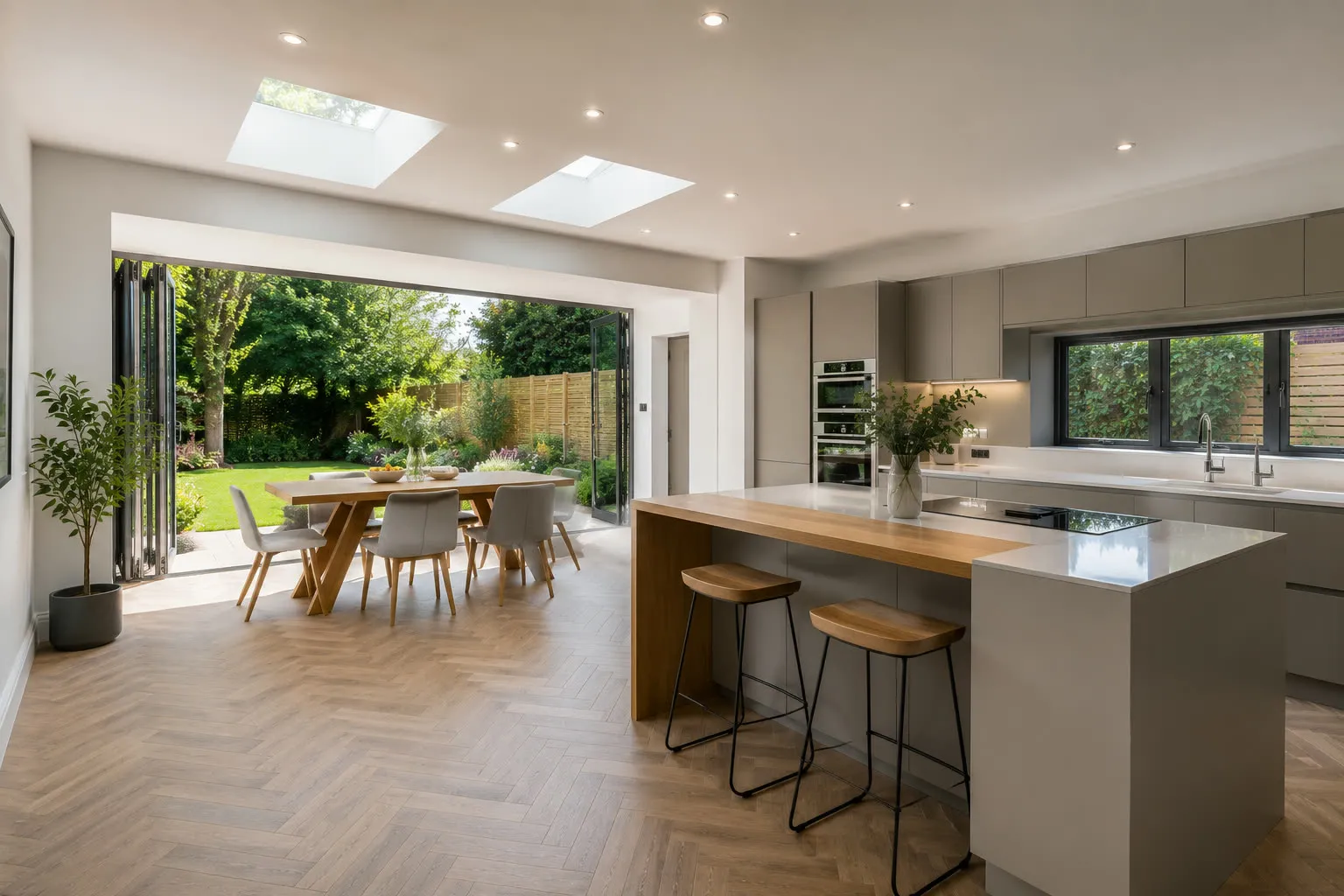
A builder website sells work when every finished job has its own page, with photos from start to finish and a few plain lines on what was built, where and how long it took. A gallery of loose photos is not enough. The homeowner planning an extension wants to see one job like theirs, followed from the footings to the final clean.
Why your project photos do most of the selling
Most people who find a builder through a referral or a Google search still check the website before they ring. BrightLocal's Local Consumer Review Survey 2026 found that 54% of consumers go on to check a business's website after reading positive reviews, up from 32% when the same question was asked in 2019. The survey covers 1,002 adults in the US, not UK homeowners.
On a building firm's site, the thing they come to check is the work. An extension is one of the biggest sums a household will spend on the house. Before they invite you round to measure up, they want proof you have built something like it before and that it looked right when you left.
Give every project its own page
A single gallery page with forty mixed photos makes the visitor do the sorting. They cannot tell which kitchen belongs to which extension, or whether the loft in one photo is the same job as the stairs in the next.
Give each finished job a page of its own. Name it by the work and the town: "Single-storey rear extension, Harrogate" or "Loft conversion with dormer, Chorlton". The visitor knows at once if it matches their plans. Google gets a page about a specific job in a specific place, which is what a search such as "extension builder Harrogate" is looking for. Our guide to local SEO for trade businesses explains how pages like these help you show up in the towns you cover.
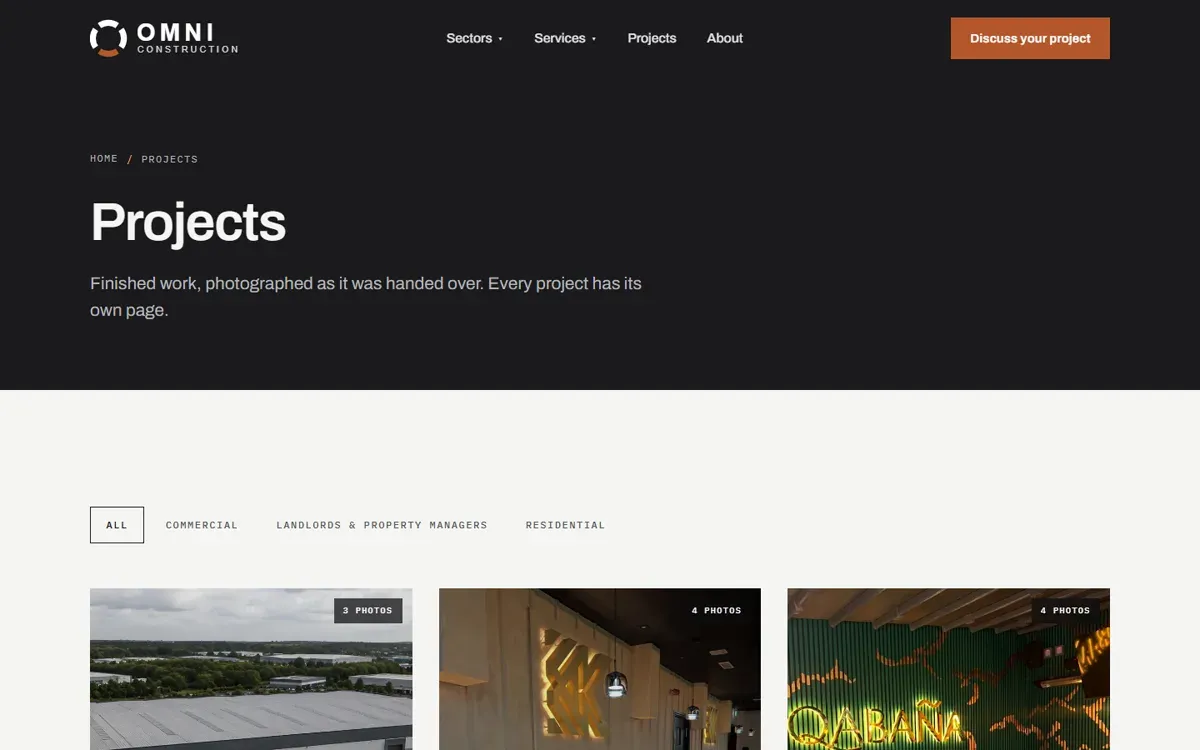
Then add a projects index that links to them all. If you do different kinds of work, let visitors filter by type. When we built the site for Omni Construction Group, the projects page split into commercial, landlord and residential work, so a property manager never has to scroll past commercial jobs to find the work that matches theirs.
What to photograph on every job
The best project pages come from photos taken during the job, not from a scramble at handover. Make it a habit at each stage:
- Before: the garden, the old back wall or the empty loft, from the spot where you will take the finished shot later.
- Groundwork: the footings dug and poured, and the slab going in.
- Structure: the walls up, the steel in, the roof on.
- First fix: plumbing and electrics in the open walls, before the plaster hides them.
- Finished: the room in daylight, cleared and cleaned, from three or four angles.
The middle stages matter more than most builders think. A homeowner sees the finished kitchen in every glossy magazine. What they cannot see anywhere else is a neat steel on proper padstones, or a damp proof course laid right. Those photos show that you care about the parts that get covered up.
A few habits make the photos usable. Shoot in daylight with the lights on. Hold the phone level and take the photo from standing height in a corner of the room. Move the skip, the tools and the dust sheets out of frame. Never photograph the customer, their family or anything personal, and keep house numbers and number plates out of shot.
What to write on a project page
The words on a project page can be short. They need to answer the questions a homeowner would ask if they were standing in that room with you. Use the same layout on every page so visitors can compare jobs:
- What it was: "A 4.5 metre single-storey rear extension with a vaulted ceiling and two roof lights."
- Where: the town or area. Never the street.
- What the customer wanted: one or two lines. "A kitchen big enough to eat in, and a view of the garden from the sink."
- What made it tricky: a shared drain under the footings, a party wall agreement, access through a narrow side passage. This is where you prove you know the trade.
- How long it took: weeks on site, and anything that stretched it, such as waiting for a building control visit.
- What you handled: drawings, building regulations, steels, electrics, plastering, kitchen fit. Say which parts you did and which the customer arranged.
Keep each point to a line or two. A builder who explains how they dealt with a drain under the footings sounds like someone who will deal with the next surprise too.
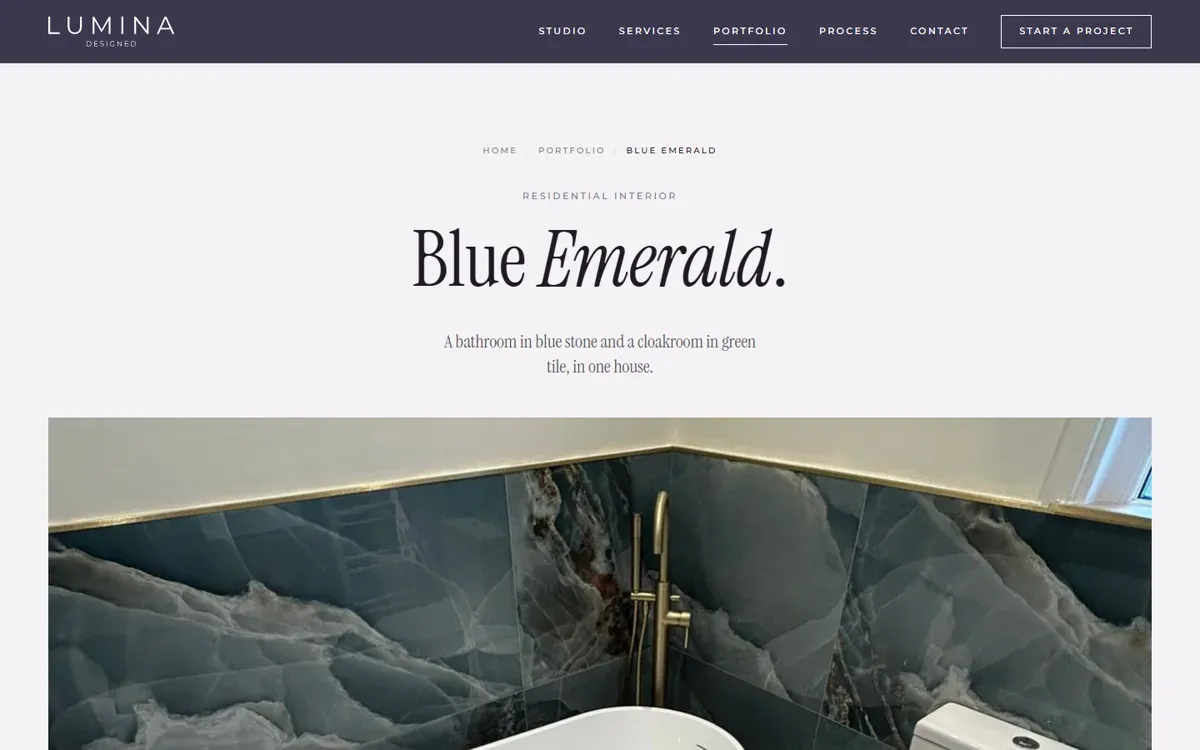
The site we built for Lumina Designed follows this pattern. Each project in its portfolio has its own page, with a name, the type of work and a short line on the job above the photos.
How to handle a long build
An extension or a full renovation can run for months. You do not need to wait until handover to start showing it.
While the job runs, post a progress photo each week to your Google Business Profile. Something like "Steel in today on a kitchen extension in Ilkley" tells people nearby that you are busy and working locally. Our post on setting up a Google Business Profile covers where those photos go.
When the job finishes, build the project page from the best of those progress photos plus the finished shots. Five or six well chosen stage photos tell the story better than thirty. Keep the rest in a folder in case a future customer asks to see more of a particular stage.
Make the photos load on a phone
Most people will look at your project pages on a phone. Ofcom's Online Nation 2025 report found that smartphones accounted for 77% of the time UK adults spent online on an average day in May 2025.
Photos straight off a modern phone are often several megabytes each. Put twenty of those on one page and it crawls on a weak signal. Every photo should be resized and compressed before it goes on the site, ideally to a modern format such as WebP, and loaded only when the visitor scrolls near it. A good web company does this for you as part of hosting and support. If you add photos yourself, check the page on your own phone with wifi turned off before you share the link.
Link the work to your reviews
A project page is stronger when the customer from that job has left a review. Ask them on the day you finish, and ask if they would add a photo of the room. BrightLocal's 2026 survey found that 36% of consumers count an appealing photo or video alongside a review among the things that matter to them when they read reviews. Again, that survey is of US adults.
Use only a review the customer actually wrote, and only with their first name and town. Link it to your Google profile so visitors can check it for themselves. Never write a quote for a customer, even one who told you they were happy.
Common mistakes to avoid
- Stock photos of extensions you did not build. A homeowner who later visits a real job of yours will spot the difference.
- Only finished shots, with nothing to show the work behind the plaster.
- Photos with no words at all, so nobody knows what the job was or where.
- A gallery that has not changed in two years, which makes people wonder if you are still trading.
- Huge photo files that leave a blank screen on a phone.
How SiteFlash builds this for you
We build websites for builders and building firms with a page for every project, a projects index you can filter by type, and photos compressed so they load on a phone. You see a working concept of your own site before you pay anything. Plans start at £149 a month with no upfront cost and no contract, and hosting, your domain and updates are included.